
How to Delete iPhone Apps from Your Mac
To delete iPhone apps from your Mac, use iUninstall. It is an iPhone app remover that runs on your Mac (and also on Windows) and shows all the apps on your connected iPhone in one list. Select the apps that you want to remove, confirm one time, and iUninstall deletes them from the iPhone, one after the other.
- Time
- A few minutes to install and scan
- You need
- A Mac (macOS 15 Sequoia or later) or a Windows PC (Windows 10 (1809) or later, or Windows 11), your iPhone, a USB cable
- Cost
- Free scan · $9.99 once to delete
Step by step
- Install iUninstall. Open the download, and drag iUninstall to the Applications folder.
- Connect your iPhone. Use a USB cable. Unlock the iPhone. If it asks "Trust This Computer?", tap Trust.
- Review your apps. iUninstall shows each app with its icon, version, app size, and data size.
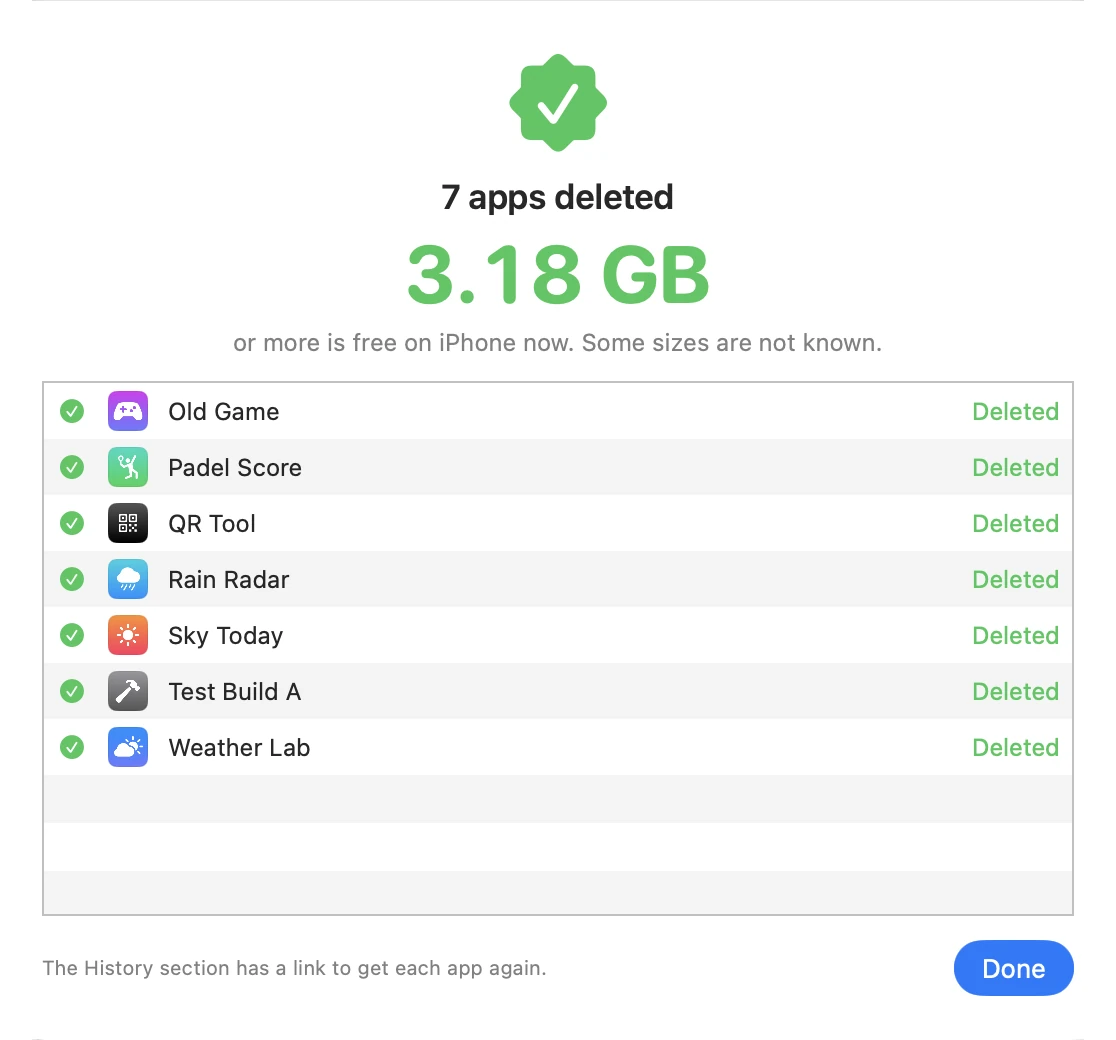
- Select and delete. Tick the apps, click Delete, and confirm the list.
Can Finder delete iPhone apps?
Finder on your Mac syncs music, movies, photos, contacts, and more with your iPhone (Apple Support). Apps are not in that list, and Finder has no option to remove an app from the iPhone. iUninstall adds that option to your Mac.
Why use your Mac to delete iPhone apps?
- A big screen and a real list. Sort by size, by name, or, with Screen Time, by the day you last opened the app.
- One batch. Delete as many apps as you select with one confirmation.
- Facts before you delete. See the app size and the data size of each app, and the free space of the iPhone.
- A record. The History lists each deleted app with a link to download it again.
What you need
- A Mac with macOS 15 Sequoia or later.
- An iPhone and a USB cable. iUninstall is tested with iOS 27.
- No Screen Time setup and no Full Disk Access to delete apps. Those are only for the optional last-opened dates.
- No iTunes, no Xcode, and no jailbreak.
- On a Windows PC instead: Windows 10 (1809) or later, or Windows 11, and the Apple Devices app or iTunes. See the FAQ below.
The download and the scan are free. Deleting costs $9.99, one time. See pricing.
Frequently asked questions
Do I need iTunes, Xcode, or a jailbreak?
Not on a Mac. iUninstall connects to the iPhone in the same way that your Mac does for Finder. You need only the cable and the Trust confirmation on the iPhone. You never need Xcode or a jailbreak.
Can I delete iPhone apps from a Windows PC?
Yes. iUninstall also runs on Windows (Windows 10 (1809) or later, or Windows 11). Install the Apple Devices app from the Microsoft Store, or iTunes, because it supplies the USB driver for the iPhone. Then the steps are the same. Your first 2 deletions on Windows are free. Download iUninstall.
Is iUninstall free?
The download and the scan are free. The scan shows all your apps with their sizes. Deleting costs $9.99, one time. There is no subscription.
Can I get a deleted app back?
Yes, if the app is still in the App Store. Download it again on the iPhone. The History in iUninstall keeps a link to each deleted app. The data of the app is not restored.
Keep reading
Is There a Way to Delete Apps on iPhone Quickly?
Yes. Delete many iPhone apps in one batch from your Mac or Windows PC, with one confirmation. Or delete one app in four taps on the iPhone.
The Most Effective Way to Delete Apps on iPhone
Five ways to delete iPhone apps, compared. For a real cleanup, iUninstall shows the size of each app (and the last use, on a Mac) and deletes them in one batch.
How Do I Delete Multiple Apps at Once on iPhone?
Select some or all of your iPhone apps on your Mac or Windows PC, and delete them in one batch with one confirmation.