
Offload vs Delete on iPhone: Which Frees More Storage?
Delete frees more storage than Offload. Offload removes the app but keeps its documents and data. Delete removes the app and its data, so you get all the space back. When your iPhone is full, delete the apps that you do not use. iUninstall on your Mac or Windows PC deletes them in one batch: select the apps, see how much space you get back, and confirm one time.
- Offload
- Removes the app, keeps its data
- Delete
- Removes the app and its data
- More space
- Delete
The difference
| Offload App | Delete App | |
|---|---|---|
| The app | Removed | Removed |
| Documents and data | Kept on the iPhone | Deleted from the iPhone |
| Space you get back | The app size only | The app size and the data size |
| Icon on the Home Screen | Stays, with a cloud symbol | Goes |
Sources: Apple Support: How to check the storage on your iPhone and the Apple iPhone User Guide (the cloud symbol). Data in iCloud stays in both cases.
iPhone storage full? Delete the apps you do not use
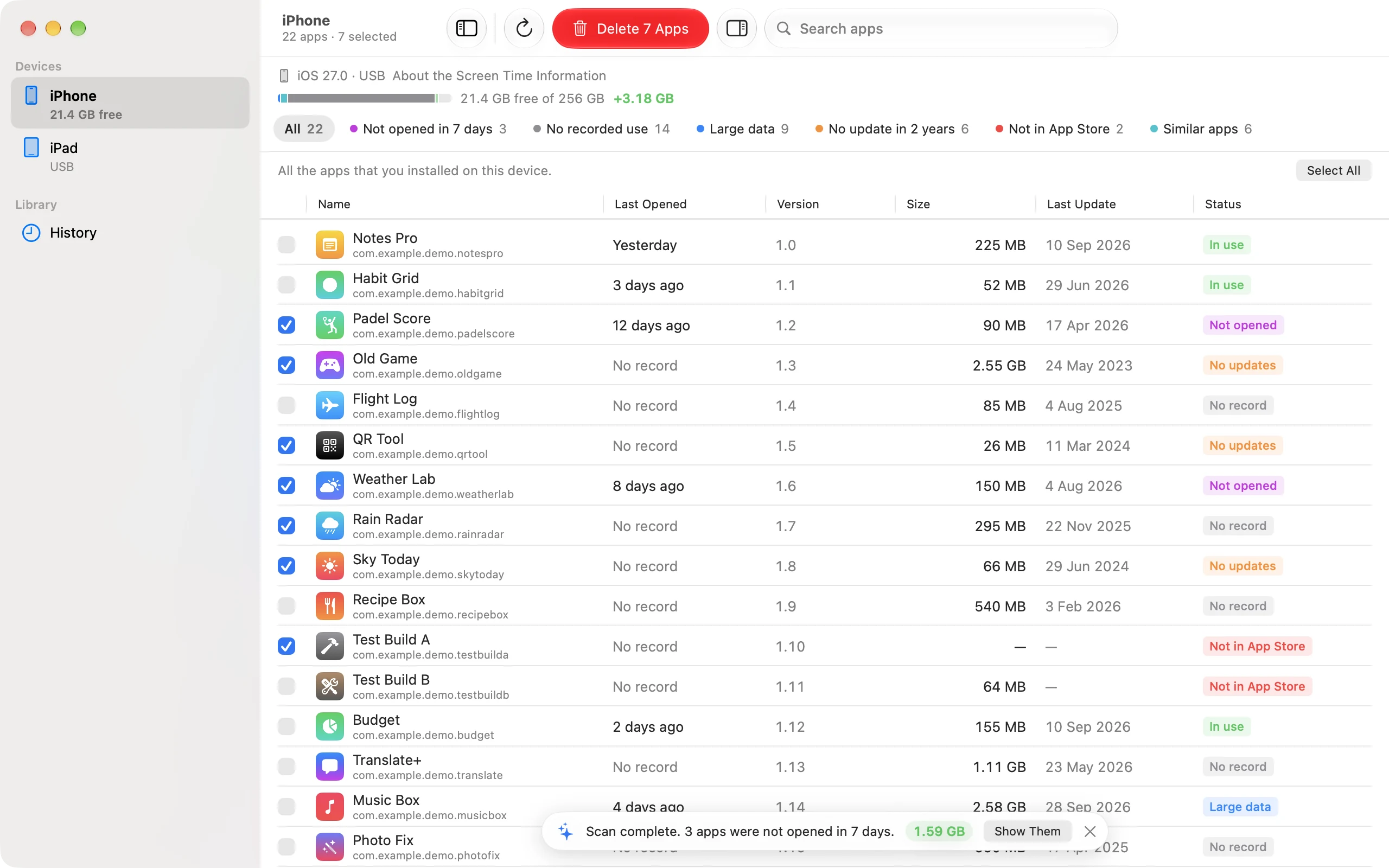
Offload helps only a little, because the data of each app stays on the iPhone. To get the most space back, delete the apps that you do not use. iUninstall shows the app size and the data size of every app, and filters such as "Large data" and "Not opened in 30 days" find the apps that take the most space. Select them, confirm one time, and iUninstall deletes them all.
When to offload, when to delete
- Offload an app that you will use again and that has data you want to keep, for example a game with saved progress on the iPhone.
- Delete an app that you do not need. Its data often uses more space than the app itself.
iUninstall shows both sizes for each app: the app size and the data size. So you can see where the space goes before you decide.
How to delete many apps at once
- Connect and open. Connect your iPhone to your Mac or Windows PC, and open iUninstall.
- Find the big data. Click the "Large data" filter to see the apps that keep the most data.
- Select and delete. Select the apps that you do not need, click Delete, and confirm.
iUninstall deletes the apps; it does not offload them. The scan is free, and deleting costs $9.99, one time.
Frequently asked questions
Does Offload keep my data?
Yes. Offload removes the app but keeps its documents and data on the iPhone. When you install the app again, the data is still there (Apple Support).
Can I install a deleted app again?
Yes, if the app is still in the App Store. The data that the app kept on the iPhone does not come back. Data in iCloud stays.
Does iUninstall offload apps?
No. iUninstall deletes apps, so you also get back the space of their data. Use Offload on the iPhone for an app whose data you want to keep.
Keep reading
Is There a Way to Delete Apps on iPhone Quickly?
Yes. Delete many iPhone apps in one batch from your Mac or Windows PC, with one confirmation. Or delete one app in four taps on the iPhone.
The Most Effective Way to Delete Apps on iPhone
Five ways to delete iPhone apps, compared. For a real cleanup, iUninstall shows the size of each app (and the last use, on a Mac) and deletes them in one batch.
How Do I Delete Multiple Apps at Once on iPhone?
Select some or all of your iPhone apps on your Mac or Windows PC, and delete them in one batch with one confirmation.