
iUninstall vs Apple Configurator: consumer bulk cleanup vs Mac IT tool
iUninstall for Mac and Windows is built specifically for fast, verified consumer app cleanup (0.08-0.18 s USB scan, 0.2-0.3 s per app) with app and data sizes, Mac Screen Time unused filters, and Protect This App locks. Apple Configurator is a macOS-only (15.7+) IT fleet deployment tool with no Windows support, no unused-app filters, and frequent reports of sluggishness and cryptic errors.
Why Apple Configurator frustrates everyday iPhone owners
Online threads often suggest Apple Configurator as a Mac workaround to multi-select and delete iPhone apps. In practice, Apple built it for school and business IT fleets deploying blueprints, profiles, and supervision. Everyday users hit four walls: there is no Windows version, the UI is built around MDM workflows (including high-risk Erase and Prepare actions), admins regularly report stalling progress bars and cryptic USB errors, and the app list gives no guidance on which apps are huge or untouched for months. Read how iUninstall keeps bulk deletion simple and verified or review one-time $9.99 license terms.
| Switching trigger | Apple Configurator | iUninstall | Source |
|---|---|---|---|
| Platform support | macOS only (requires macOS 15.7 or later); no Windows version | macOS 15 Sequoia+ and Windows 10 (1809+) / Windows 11 (x64 & ARM64) | Mac App Store |
| Purpose & usability | Enterprise/school IT tool with Supervision, Blueprints, Erase, and Prepare flows | Single-purpose consumer app cleaner: scan, filter, select, confirm once | Apple User Guide |
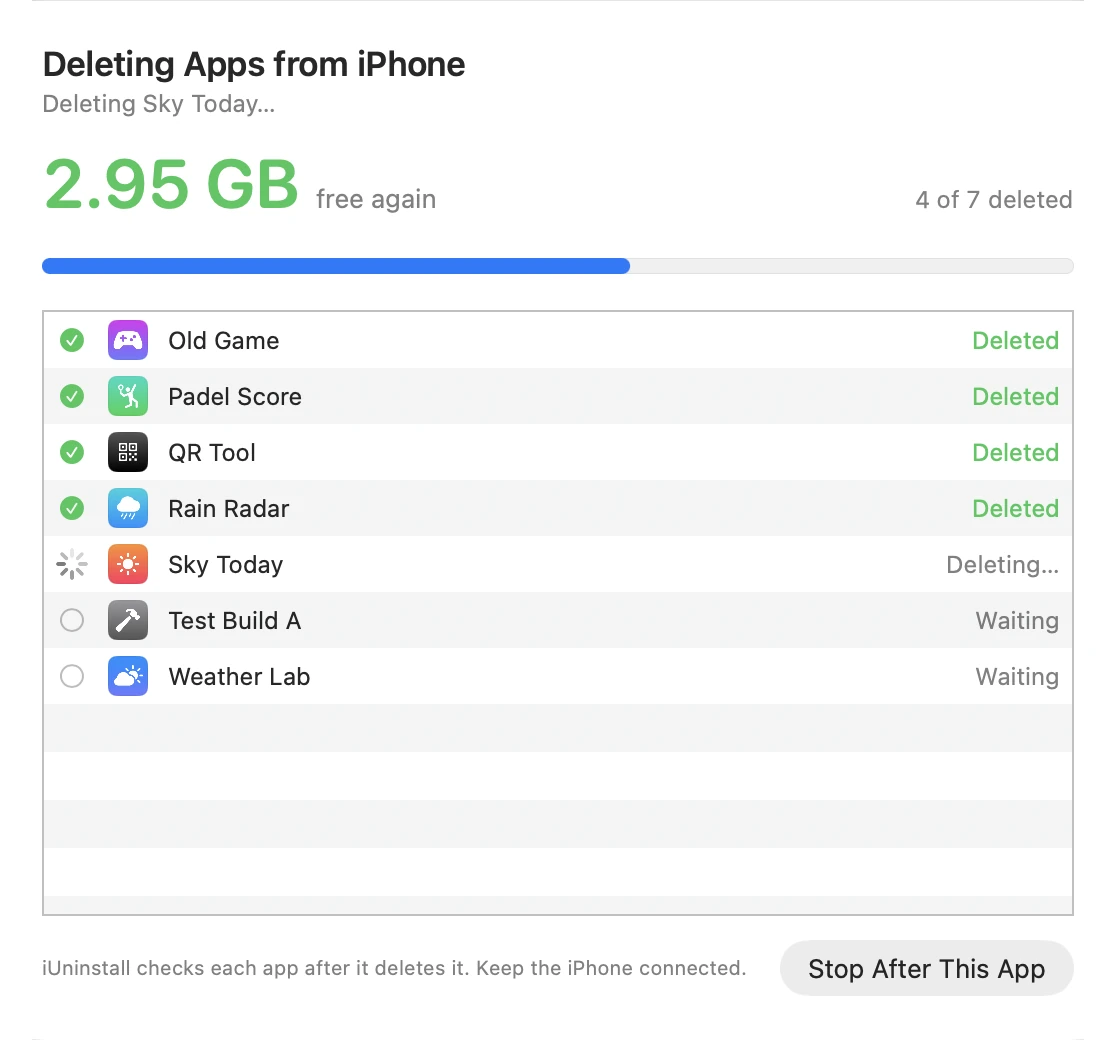
| Speed & reliability | Recurring reports of hanging operations, USB drops, cryptic errors, and update regressions | 0.08-0.18 s USB app list, 0.2-0.3 s serial removal with live verification after each app, Stop After This App | MacRumors, r/IThelpdesk |
| Cleanup decision data | Plain app list; no Screen Time last-opened dates or abandoned-app filters | App size + local data size, Mac Screen Time filters (7/30/90 days), No update in 2 years, Not in App Store | Unused apps guide |
| Accidental-delete protection | No protected-app lock; no re-download History | Protect This App locks essentials from Select All; local History keeps App Store links | How it works |
| Price | Free ($0, Mac App Store) | Free scan (first 2 deletions free on Windows); $9.99 once for up to 3 computers | Pricing |
Workflow comparison by scenario
| Scenario | Apple Configurator | iUninstall |
|---|---|---|
| Cleaning 100+ apps by size & unused date | No Screen Time or Large data filters; manual lookup | Filter by Not opened or Large data, Protect essentials, Select All, 1 confirmation ($9.99 once) |
| Windows 10 / 11 PC user | Not available on Windows | Native Windows app, first 2 deletions free, $9.99 once for unlimited removal |
| Verifying every deletion safely | IT menus alongside Erase/Prepare; cryptic error dialogs | Zero preselection, 0.08 s check after each app, Stop After This App, local App Store History |
Switch from Apple Configurator to iUninstall in 2 minutes
- Download iUninstall on your Mac or Windows PC (no Mac App Store IT profile or supervision setup needed).
- Plug in your iPhone with a USB cable and tap Trust. Your full app list loads in under a second while sizes stream in.
- Sort by size or filter unused apps, mark must-keep apps with Protect This App, click Select All, and confirm once.
Frequently asked questions
Does Apple Configurator work on Windows?
No. Apple Configurator is strictly macOS-only and requires macOS 15.7 or later (Mac App Store). If you use a Windows 10 or Windows 11 PC, iUninstall runs natively on Windows (x64 and ARM64) with your first 2 deletions free.
Can Apple Configurator show app data sizes or unused apps?
No. Apple Configurator gives a plain IT app list without local data size filters, Mac Screen Time last-opened dates, Protect This App locks, or a local re-download History. iUninstall surfaces Large data, Not opened in 7/30/90 days (Mac), No update in 2 years, and Not in App Store before you delete anything.
Why do people report that Apple Configurator feels slow or unstable?
Apple Configurator is built as an institutional IT deployment tool (for school iPad carts, MDM blueprints, and firmware restores), not a lightweight consumer uninstaller. Across MacRumors and IT admin forums (MacRumors, r/IThelpdesk), users regularly report hanging progress bars, USB connection stalls, cryptic error codes, and update regressions.
Does iUninstall require Device Supervision or erasing my iPhone?
Never. iUninstall connects over standard USB trust pairing (no Supervision, no MDM profile, no Xcode, and no Developer Mode) and removes only the third-party apps you select and confirm.
How fast does iUninstall scan and delete a batch of iPhone apps?
On physical hardware tests with 265 to 277 apps (iOS 27.0.1 and macOS 27.0.1, Developer Mode off), iUninstall reads the installed app list in 0.08 to 0.18 seconds, completes each uninstall request in 0.2 to 0.3 seconds, and runs a fresh inventory check after every app.
Comparing paid suites too? Read iUninstall vs iMazing, browse all comparisons, or check our Mac and Windows USB setup guide.